
GoDaddy Website Builder Review Is it any good?


Tooltester is supported by readers like yourself. We may earn an affiliate commission when you purchase through our links, which enables us to offer our research for free.
GoDaddy is, without a doubt, one of the most established names in the internet business. While they’re more famously known for domain names and web hosting, you can also build your website with their very own website builder.
GoDaddy has continued to evolve its website builder, with Airo AI Builder being its latest major addition. The new AI-powered tool aims to make getting a website online even quicker, generating a starting point from a simple prompt that you can then customize.
Our biggest criticism of the previous version was that it was too restrictive, so with all these new changes, we wanted to know: have GoDaddy finally improved their website builder? At first glance, it definitely looks promising, with a modernized interface and a completely free plan (which wasn’t an option before).
So let’s dive in and see exactly what’s changed with GoDaddy’s new website builder.
GoDaddy Website Builder Review: What to expect?
GoDaddy Website Builder is a beginner-friendly platform, and GoDaddy now also offers Airo AI Builder, allowing you to generate a website from a simple prompt before refining it to your liking. Combined with hosting, domains, marketing tools and ecommerce features, GoDaddy offers an all-in-one solution for small businesses.
GoDaddy offers a free plan, and paid plans that start at a relatively affordable $16.99 per month. They all come with 24/7 customer support and website hosting. However, you can't use a custom domain name with the free plan. Also, if you plan to open an online shop, you can only do this with their "Ecommerce" plan.
GoDaddy Videos
- Godaddy Review
GoDaddy Screenshots
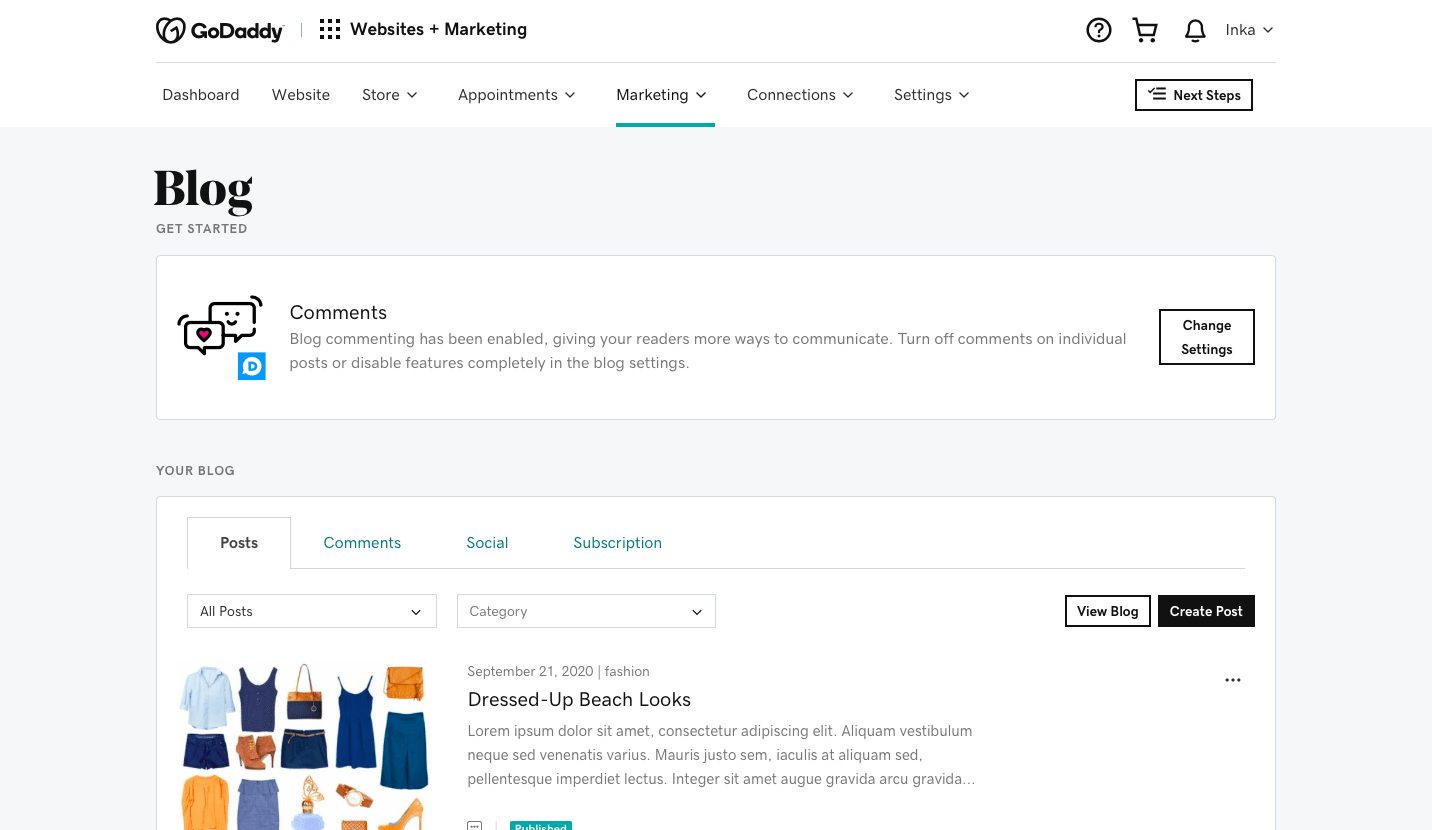


GoDaddy Pricing
Free
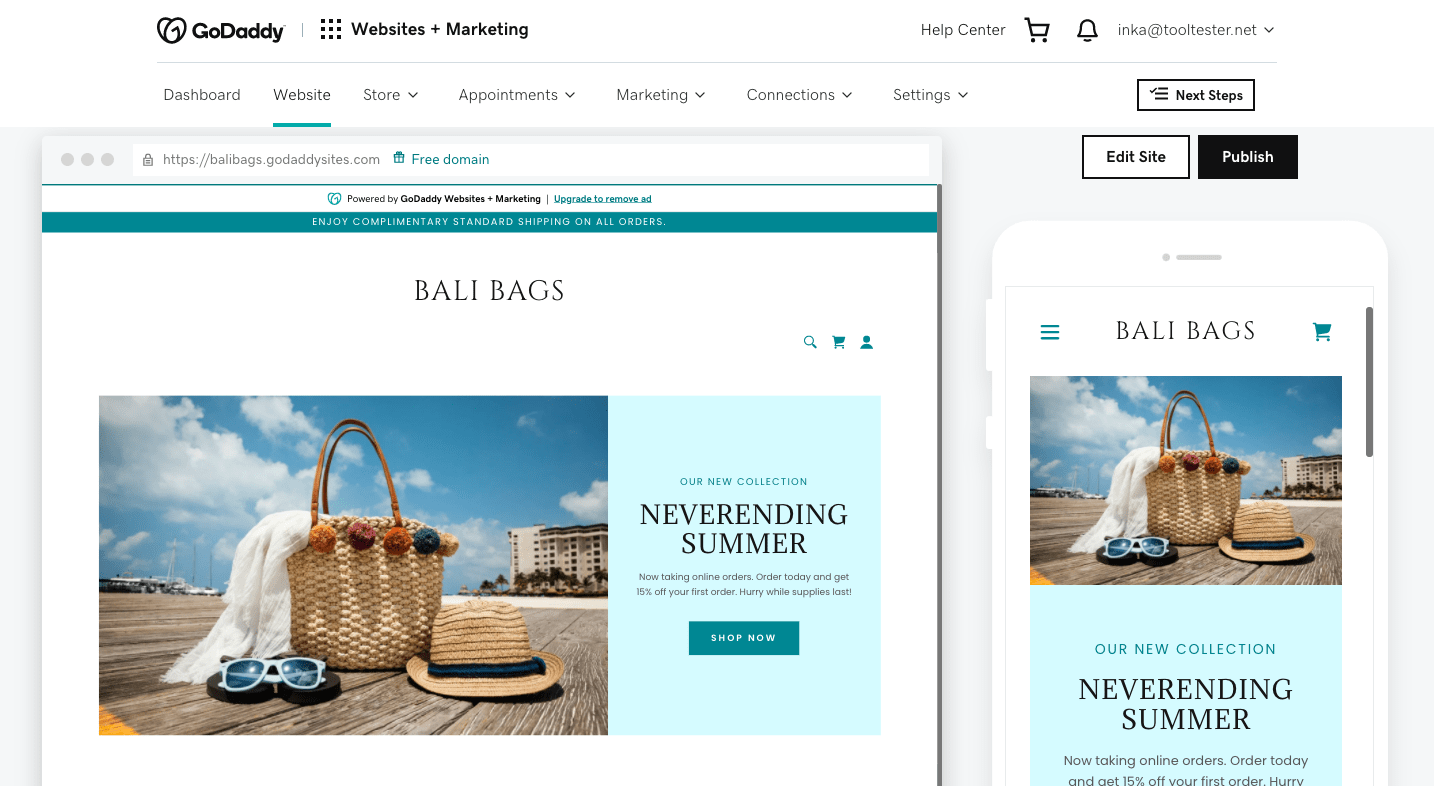
For simple sites using the godaddysites.com domain. An ad will be displayed at the top of all pages, and some features will be limited.
Basic
Lets you use your own domain and removes GoDaddy advertising. Advanced SEO not included. Allows for a small number of social media posts and email marketing sends.
Premium
Includes advanced SEO features. Limit of 500 email sends and 20 social media posts.
Commerce
25,000 email sends and unlimited social media posts. Added options for online appointments, including accepting payment and recurring events.
Commerce Plus
Ecommerce features included like credit card payment processors and abandoned cart recovery.
Airo AI Builder
GoDaddy also offers Airo AI Builder as a separate AI-powered product. It includes a free plan, with paid plans starting at $9.99/month, which include AI credits, hosting, custom domains and unlimited app creations
We’re showing renewal prices for yearly contracts. First year is usually discounted. Free domain name for 1 year included.
Airo AI Builder has separate pricing, with a free plan that includes monthly AI credits. Paid plans start at $9.99/month, with additional AI credits, unlimited app creations, hosting, custom domain support and code downloads included.
Pros and Cons of GoDaddy Website Builder
- Pros
- Cons
Pros
-
AI-powered website creation
Airo AI Builder can generate a complete website from a simple prompt, giving beginners a quick and easy starting point.
-
Smartphone-optimized layouts
Layouts are responsive and adapt to mobile phones and tablets. Even the website editor works on mobile devices.
-
Easy to use
The editor is very well structured. Adding and removing elements is a walk in the park.
-
Fast loading speeds
In fact, GoDaddy came out first in our comprehensive comparison of page builder loading speeds.
-
All-in-one solution for marketing
With an improved blogging feature, built-in email marketing tool and social media content creator, GoDaddy Websites + Marketing manages many of your marketing functions in the one place.
Rating Details
GoDaddy Website Builder Review: A More Detailed Look Into GoDaddy’s Features
How easy is it to set up a website?
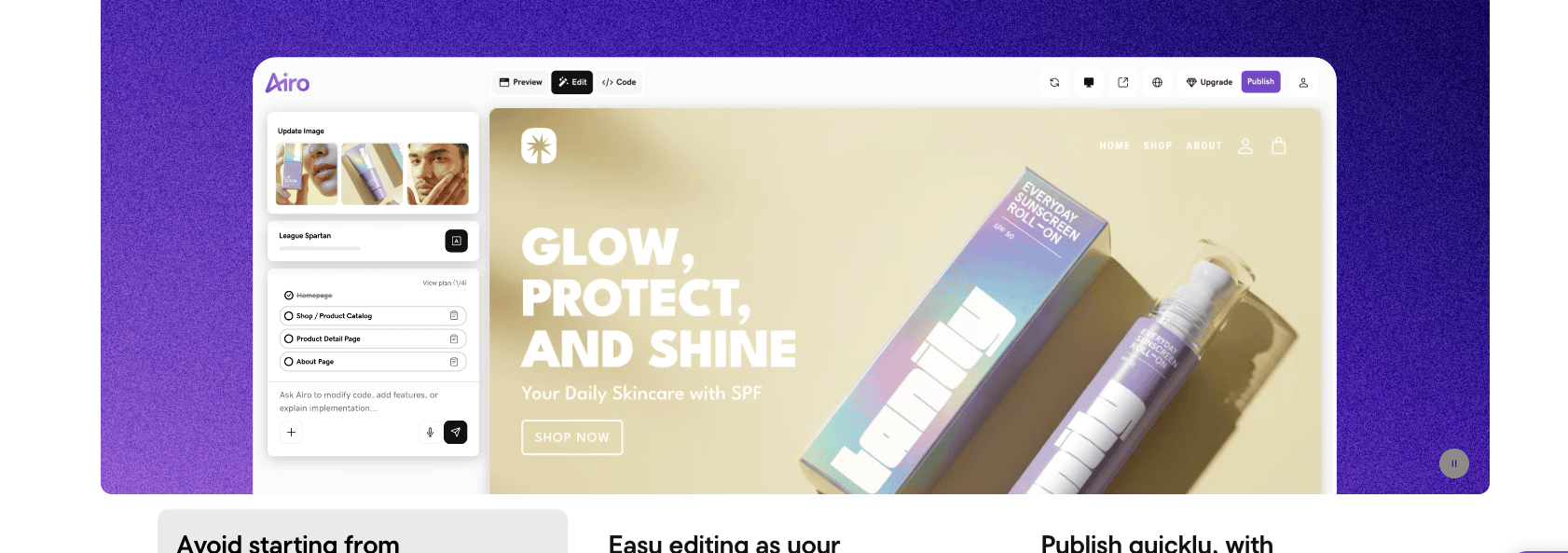
Nervous about setting up a website for the first time? Thankfully, GoDaddy makes the process incredibly straightforward. You now have two ways to get started: choose a traditional template, or use the new Airo AI Builder, which generates a website for you from a simple prompt.

If you choose Airo, you’ll first describe your business or website idea in plain language. Within a few moments, GoDaddy creates a complete website with pages, layouts, images, and starter copy tailored to your business. From there, you can continue editing everything to your liking.
Alternatively, if you’d rather build your site yourself, you can go straight to the Templates page and browse through the available categories to find a theme you like. Hover over it, and you’ll be able to either preview the template as a published website, or hit ‘Start Editing’ to select it for your site.
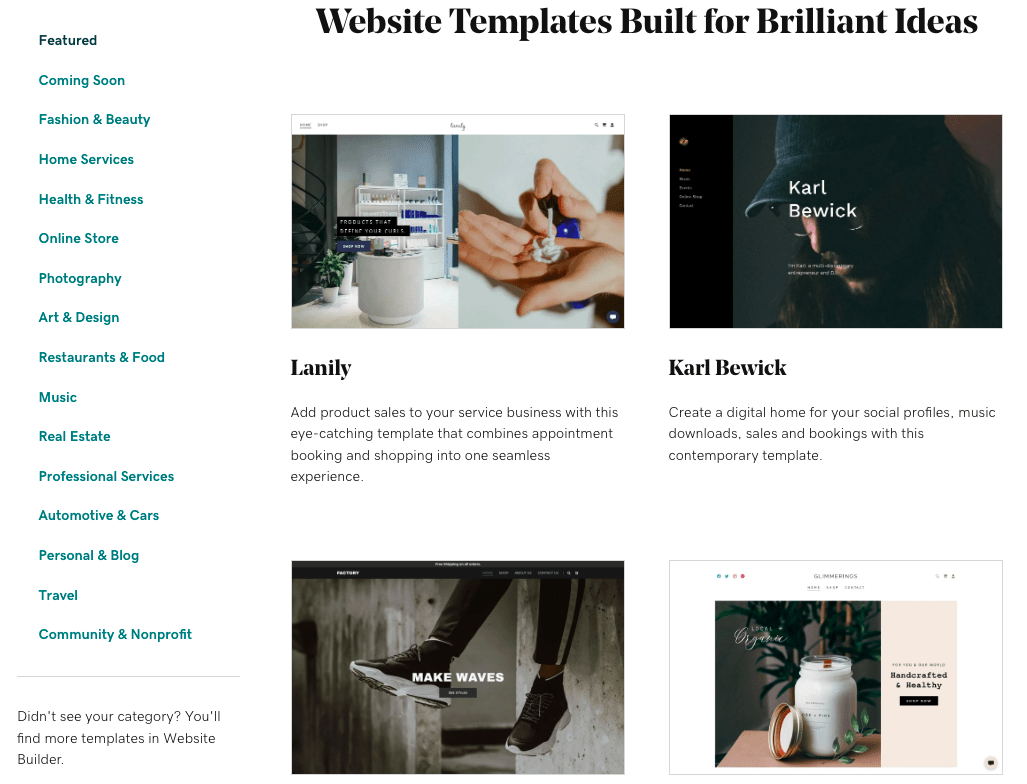
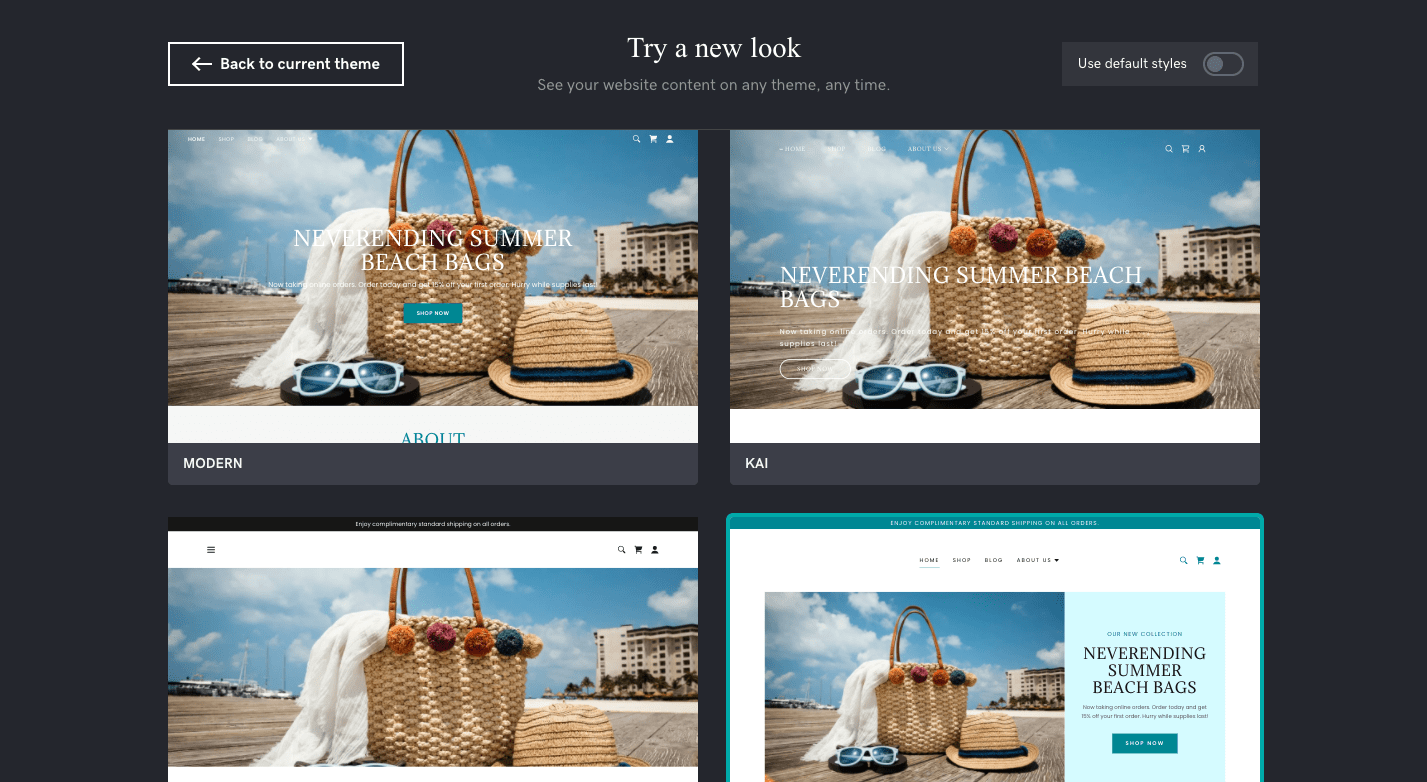
One thing that sets GoDaddy apart is the ability to switch your template. With GoDaddy, you can change to a completely new theme without losing the content you’ve added. In our experience, it’s very rare to find a website builder that offers this. So, it’s good to know that you can refresh your design at any time should you feel like changing things up a little.
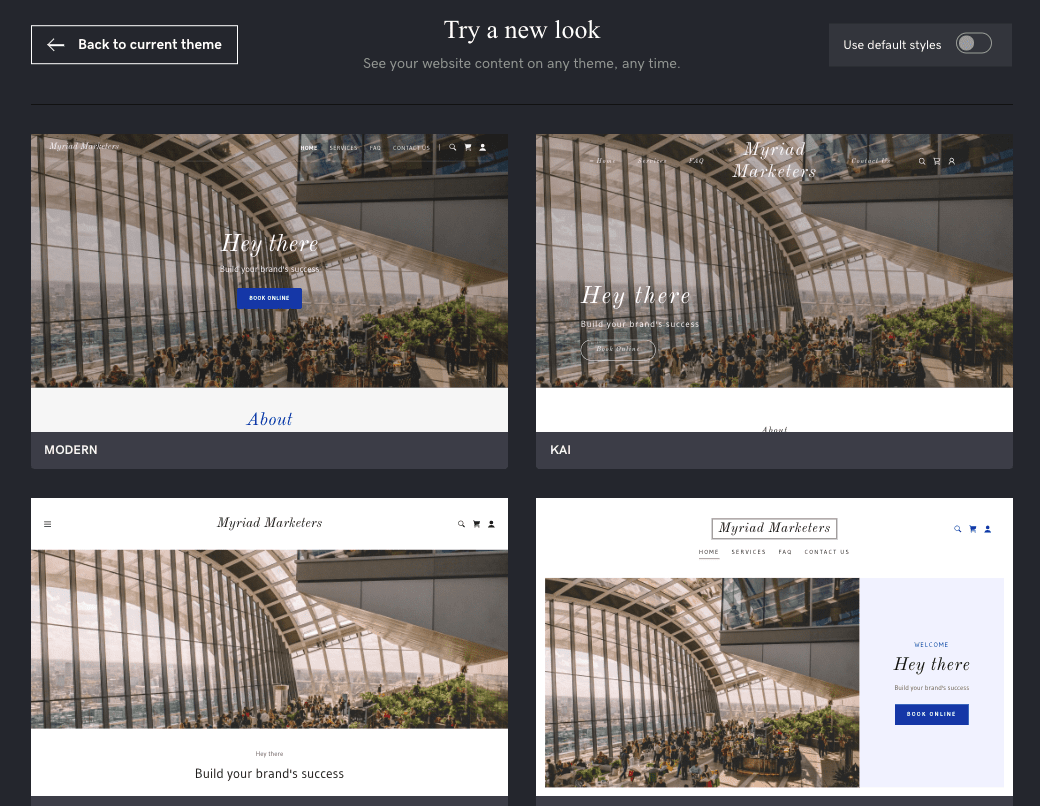
Changing the theme of a GoDaddy website – incredibly, you won’t lose your content if you switch to another template
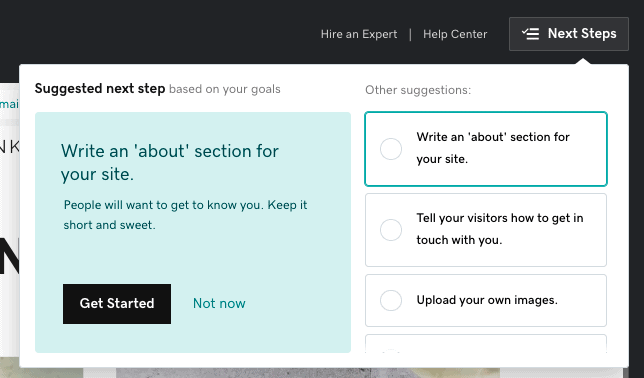
To help orientate you, GoDaddy offers a handy checklist of ‘Next steps’. These are based on the website goals you previously specified, and can help to guide you on where to focus your efforts:
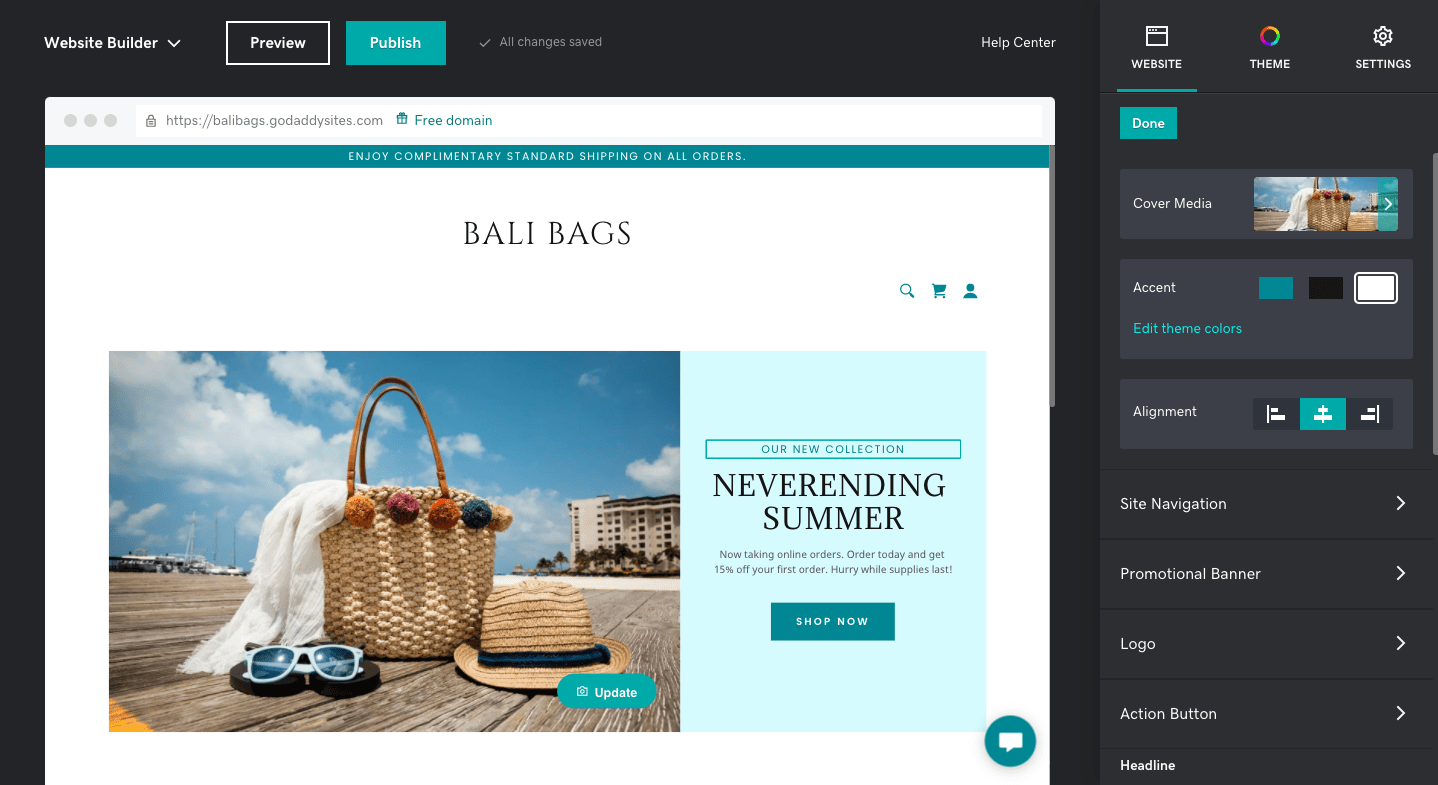
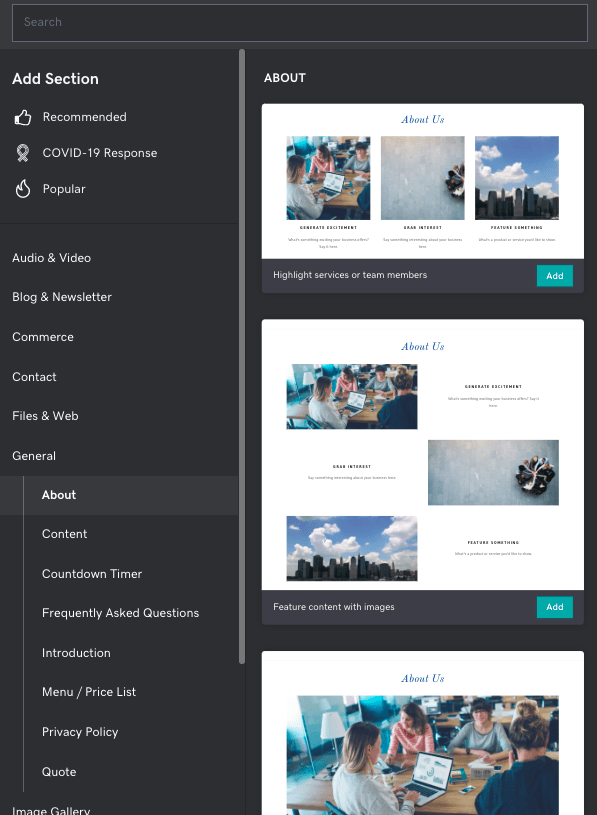
Navigating the editor is pretty straightforward, although there are a few quirks. For one thing, while GoDaddy’s editor is visual (in that you can see your changes as you’re making them), it’s not drag-and-drop. It’s therefore not possible to move elements like text and images around by dragging them – instead, you can only add sections by choosing from a list of pre-built layouts:
You’ll also notice that it lacks an inline text editor. So, any changes you make to the text happen in a window to the right of the editor, rather than directly within the page:
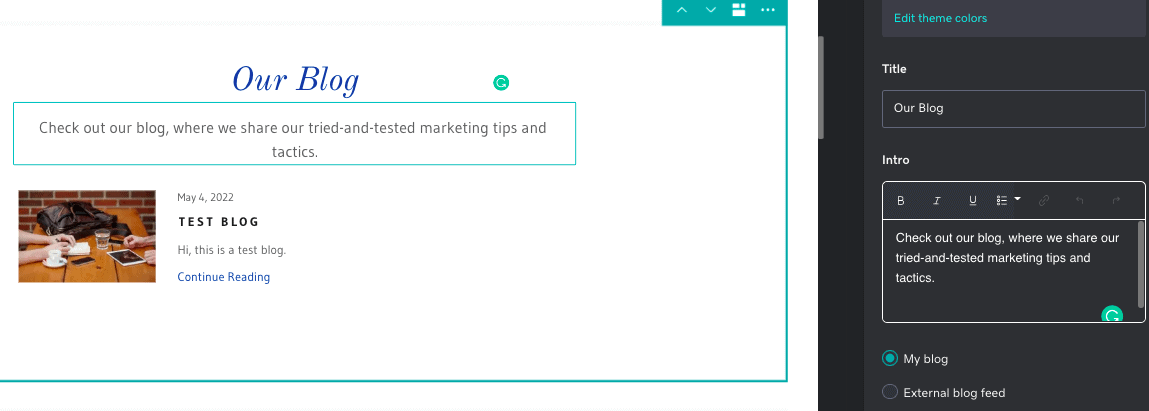
In this sense, it’s less flexible and intuitive than drag-and-drop website builders like Wix and Squarespace, which give you the ability to place content anywhere you’d like (although this can also have its drawbacks if you don’t have design expertise). But, it’s great if you don’t need to have control over every minute detail of your website’s design.
If you started with Airo AI Builder, you’ll be making these edits to the AI-generated website. During our testing, we found that Airo provides a strong starting point, although you’ll still want to personalise the text, images and branding before publishing.
This may very well be the case if you’re building a business website. Here, a solid set of online business tools is likely to be more important than a groundbreaking website design. So, let’s check out what small business tools the GoDaddy website builder offers.
GoDaddy’s Business and Marketing Tools
Appointment booking
If your business sells services, runs events, or offers classes, GoDaddy’s appointment booking feature allows customers to book these directly on your website. This handy feature makes it one of the best website builders for a service business.

The appointment booking calendar on a GoDaddy website
To set it up, you’ll need to exit the Editor and go to your main GoDaddy dashboard. You’ll find it under the ‘Appointments’ menu option at the top.
Setting up appointment booking on your site is very simple – you just need to add each one of your services, selecting from Appointments, One-time Events, or Repeating Events. You also have options to set prices, accept payments, add videoconferencing details, and even let customers reschedule online.
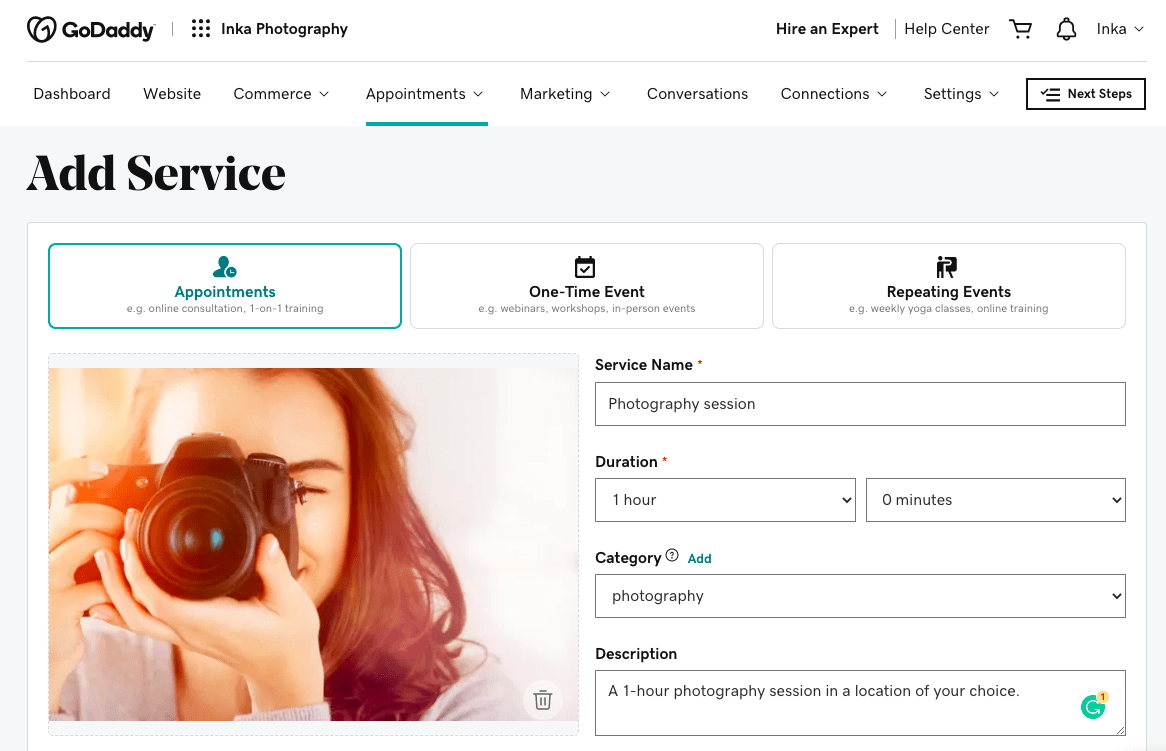
Some nice extra touches include the ability to manage customer reminders via email and SMS, and even allow customers to book via Instagram or Facebook.
After testing it out, we’d say that this is one of GoDaddy’s best features. We found it to be more intuitive than other tools’ online scheduling tools, and more cost-effective, too.
That’s because you’re not charged extra to add this feature to your site. Instead, it’s included in all plans, including the free one. (Squarespace, for example, charges between $14-45 per month for its Acuity Scheduling solution, and Wix only allows you to use its Wix Bookings tool on paid plans.)
However, the entry-level Basic plan only allows you to offer one-time appointments (e.g. consultations). If you want to also offer events and recurring appointments (such as classes and workshops), you’ll need at least the Premium plan. The same is true if you need to accept online payments (which is only possible for sites in the US, Canada, UK, and Australia).
Marketing tools
GoDaddy has gradually expanded its website builder into an all-in-one business platform, and Airo AI Builder fits naturally into that ecosystem. Once your website has been generated, you can immediately start using GoDaddy’s built-in marketing tools, including email marketing, social media management and SEO guidance.
When you navigate to ‘Marketing’ in the dashboard menu, you’ll find a decent number of features within GoDaddy’s marketing toolkit:
- Social media manager – allows you to connect your social accounts, schedule posts, and even create social content with the help of the GoDaddy Studio content creator
- Marketing calendar – gives you a calendar of upcoming events and holidays to inspire your marketing campaigns
- Digital ads – lets you create and run ad campaigns on Facebook and Instagram
- SEO – GoDaddy’s SEO Wizard helps you identify relevant keywords to target and helps you add search-optimized text to your site
- Email Marketing – a newsletter creator that lets you send email marketing campaigns (with templates included)
- Blog – lets you create, schedule and publish blog posts
Of these, we think GoDaddy Studio Content Creator is one of the most useful. If you’re familiar with graphic design tools like Canva, you’ll have no problem getting used to the editor. There are hundreds of templates to choose from, and it’s free to download the images and use them for your social media posts.
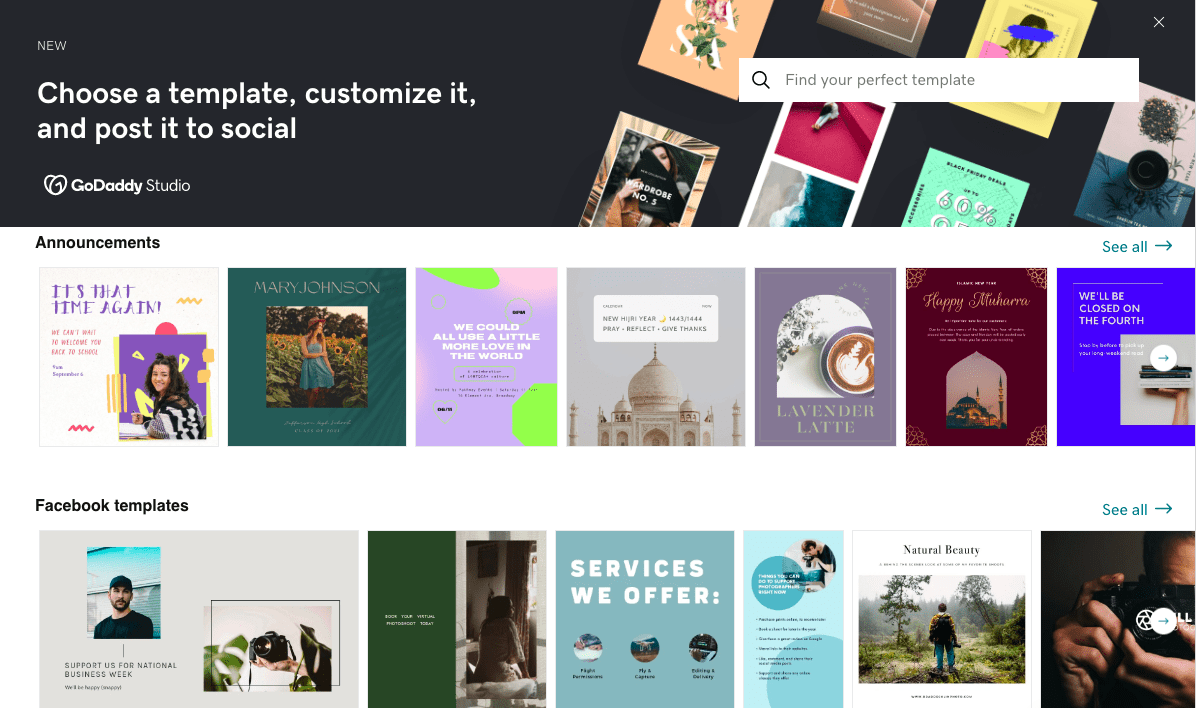
GoDaddy’s social media content creator
The SEO Wizard is also a good jumping-off point for those who are new to search engine optimization, providing a step-by-step guide on how to optimize your site. However, we’ve found that website builders like Wix provide more advanced SEO options (301 redirects, editable robot.txt files, etc.), and are therefore a better choice for those with more SEO experience.
The Blog is an indispensable tool for those who aim to get more organic traffic to their site, and GoDaddy’s blog actually comes with some very handy features – the ability for readers to share posts to social media, for example, and to receive blog updates via email.

But, it lacks a few other essential features. You can’t add multiple authors, for example, or enable commenting. The editor itself only allows you to add text, images, videos, and dividers – there are no options to create tables, galleries, or embed HTML code.
If you’re after more advanced blogging functionality, your best bet would be a tool like Squarespace, which offers a much greater range of blogging features.
Despite this, we think it’s worth recognizing that GoDaddy offers many marketing tools that other website builders simply don’t. If you’re after an all-in-one website and marketing solution that’s easy to manage, GoDaddy could be just what you need.
Selling online with GoDaddy
If you select from one of GoDaddy’s ecommerce plans, you’ll also be able to add an online store to your website. So, how does GoDaddy’s ecommerce functionality compare to other platforms? Let’s find out.
The first thing to know is that GoDaddy is really only built for small to mid-sized stores. Although the two ecommerce plans have product limits of 5,000 up to unlimited, we think you’d start to notice your site slow down quite considerably if you attempted to reach these!
A few hundred physical and/or digital products (at most) is probably more realistic. If you’re planning to sell more, solutions like Shopify or WordPress’s WooCommerce are better equipped to cope with larger product catalogs.
Secondly, GoDaddy – being the giant that it is – is in a rare position of being able to offer much more than just an online store builder. If you hover over “Commerce” in the dashboard’s navigation menu, you’ll see a ton of different options:
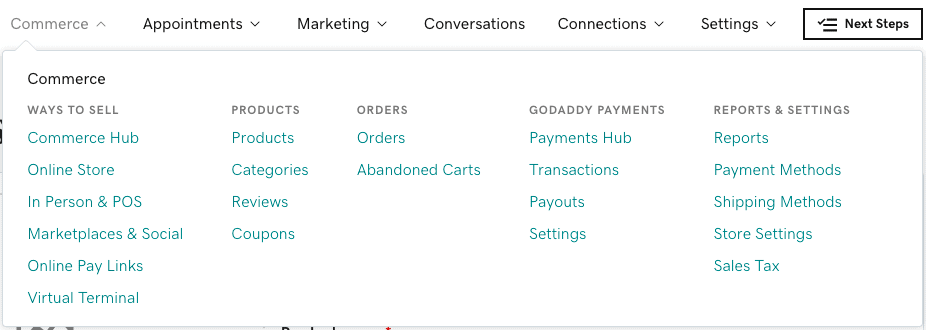
Let’s delve a little deeper into these.
The Commerce Hub is a reporting dashboard that gives you an overview of product sales, as well as any services you might sell (via the appointment booking tool we explored earlier).
The interesting thing to note here is that it not only shows you the product sales made through your online store – it also ties in sales made through other channels, such as a physical store, phone, social media, or online marketplaces.
These can be connected via the In Person & POS and Marketplaces & Social menu options. The first option lets you set up a point of sale (such as a physical store or market stall). You can do this either by purchasing terminals and card readers directly from GoDaddy, or by using the GoDaddy mobile app to take payments.
The second lets you connect your GoDaddy store with marketplaces like Amazon, eBay, Etsy and Facebook. You’ll be able to manage sales and inventory all from within GoDaddy, which is a huge advantage if you’re selling across multiple marketplaces.
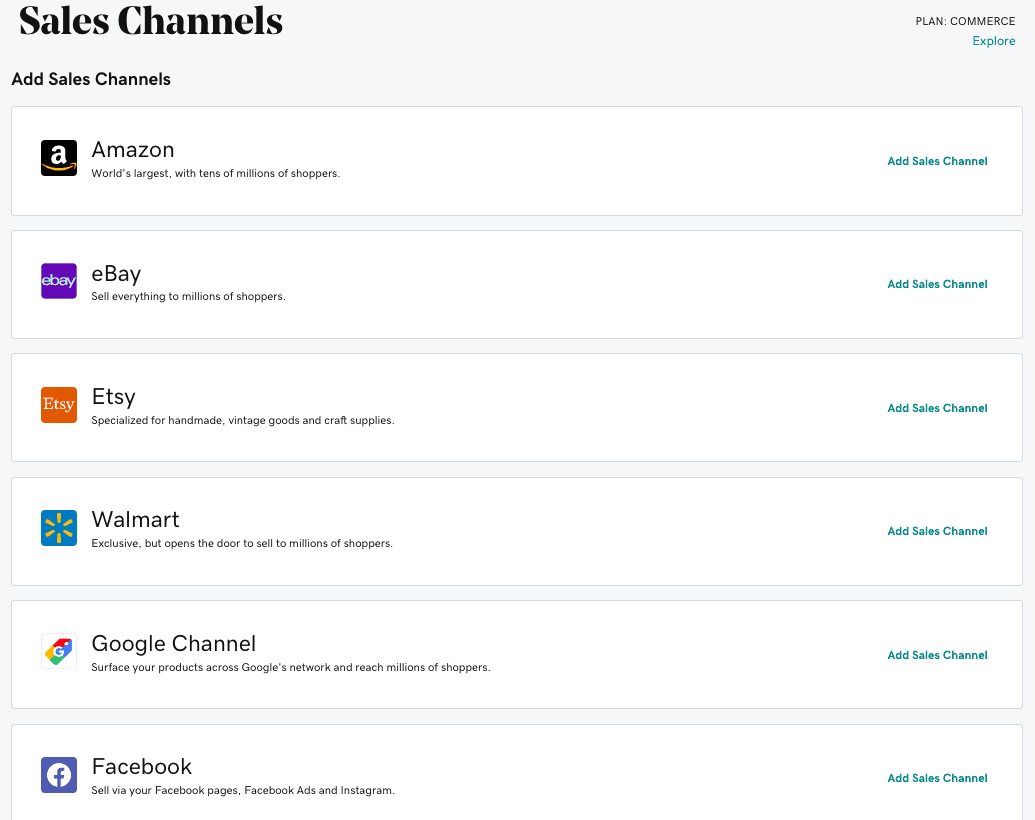
You can connect GoDaddy to any one of these online sales channels
GoDaddy also offers GoDaddy Payments, its own payment processing service, which lets you accept credit and debit card payments with reduced transaction fees. Note that this is currently only available in the US; however, outside of the US, you can connect PayPal, Square, Stripe, and accept offline payments.
That’s all great news if you’re an experienced retailer – but if you’re new to selling, how easy is it to start selling on your website?
Luckily, just like the rest of the GoDaddy website builder, you’ll find GoDaddy’s online store manager intuitive to navigate.
To get started, you can add products individually, or import them (via CSV, or from an existing Square, Amazon, Etsy, eBay, Walmart or Google catalog). It’s possible to sell both physical and digital products – which is great if you’re looking to sell ebooks or music files, for example.
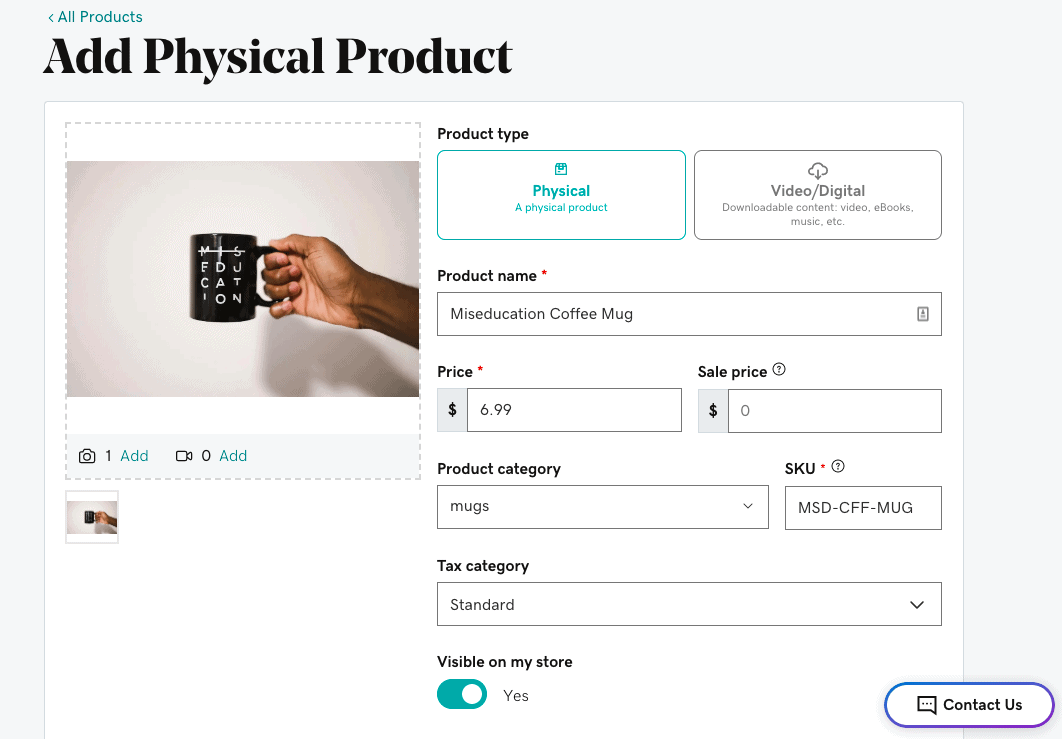
Options for customizing product listings are also pretty generous. Aside from the standard options you’ll find in all ecommerce builders (descriptions, inventory levels, variants, etc.), you can also enable an ‘Add-on’ field which lets customers personalize their product.
From an SEO perspective, we liked that you can customize the URLs for each of your products, although we did notice that a few extra subfolders get added to the final URL, which is not ideal. This seems to be a common problem with ecommerce builders, though – Shopify stores use a similar URL structure (storename.com/products/product-name).
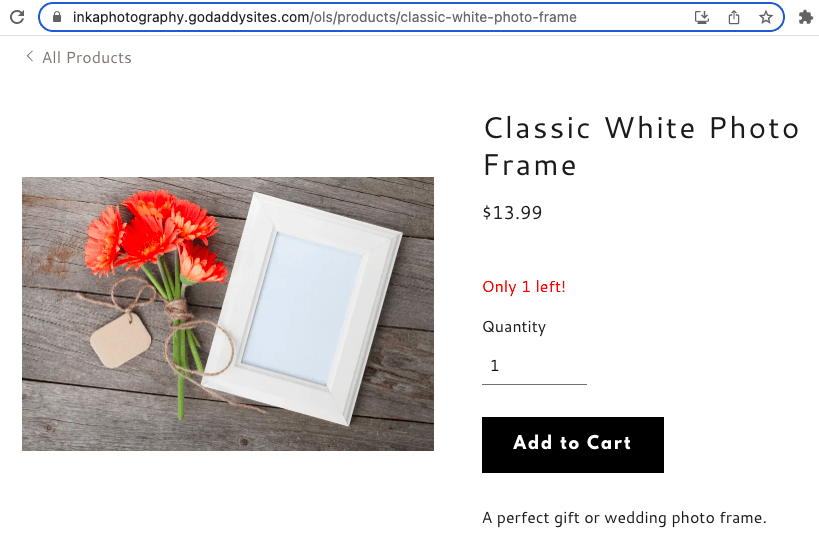
GoDaddy adds /ols/products/ to product URLs, which isn’t ideal
Now, let’s take a look at some more of GoDaddy’s more ecommerce-specific features, and see how it compares with other ecommerce solutions.
The shipping options aren’t half bad. GoDaddy lets you offer free or local shipping, as well as in-person pickup. If you’re in the US, you can access real-time shipping rates via USPS and UPS. There is also an option to purchase shipping labels through a ShipEngine integration, giving you access to discounted rates from USPS, UPS, FedEx, and more. However, ecommerce solutions like Shopify (and even Wix) give you more options.
Taxes can be set manually for different regions. If you’re on the highest ecommerce plan, you’ll have access to automated sales tax calculations thanks to GoDaddy’s Avalara integration (again, this is only available in the US). This is similar to what Shopify, Wix and Squarespace provide; however, if you’re outside of the US, Shopify provides more automated options.
While you can send automated abandoned cart emails, this solution is far more simplistic than that offered by other ecommerce platforms. You can only send one email, and don’t have the ability to edit the content of that email (for example, to include special offers).

All in all, GoDaddy’s online store builder comes with a good range of features, although some lack the depth of other ecommerce builders. However, considering that the pricing for an ecommerce plan (which starts at $29.99) is much cheaper than for Shopify or Wix, it’s a logical option if you’re just starting out, or if you only plan to sell a few products.
GoDaddy Website Builder: Our Conclusion
GoDaddy has continued to evolve its website-building offering, and Airo AI Builder is one of its most interesting additions yet. By allowing users to generate a website from a simple prompt, it makes an already beginner-friendly platform even quicker to get started with.
Beyond its AI capabilities, GoDaddy remains one of the easier website builders we’ve tested. Its intuitive editor, built-in email marketing, appointment booking, social media tools and ecommerce features make it a solid all-in-one solution for small businesses that value simplicity.
That said, there are still some areas we’d like to see improved. The editor doesn’t offer the same design flexibility as builders like Wix or Squarespace, SEO options remain fairly limited, and AI-generated content will usually benefit from some personalization before publishing.
Overall, GoDaddy is a strong choice if you’re looking for a beginner-friendly website builder with AI assistance and plenty of business tools in one place. However, users who want complete creative control or more advanced functionality may prefer a more flexible platform.
> Find out if GoDaddy fits your project requirements by building a website for free.
Is GoDaddy the right website builder for you?
- Recommended If
- Not Recommended If
You need a very simple tool to create a website.
You want to have your site tightly integrated with your online marketing (email marketing, social media, blog etc).
You are looking for an appointment solution with payment option for your visitors.
You want to have telephone support.
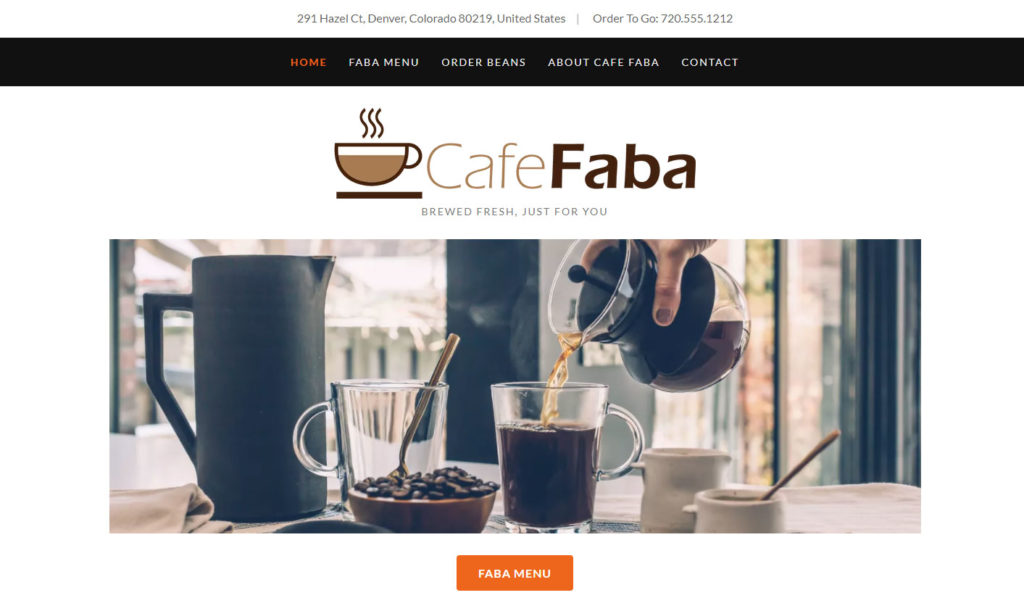
GoDaddy Example Websites

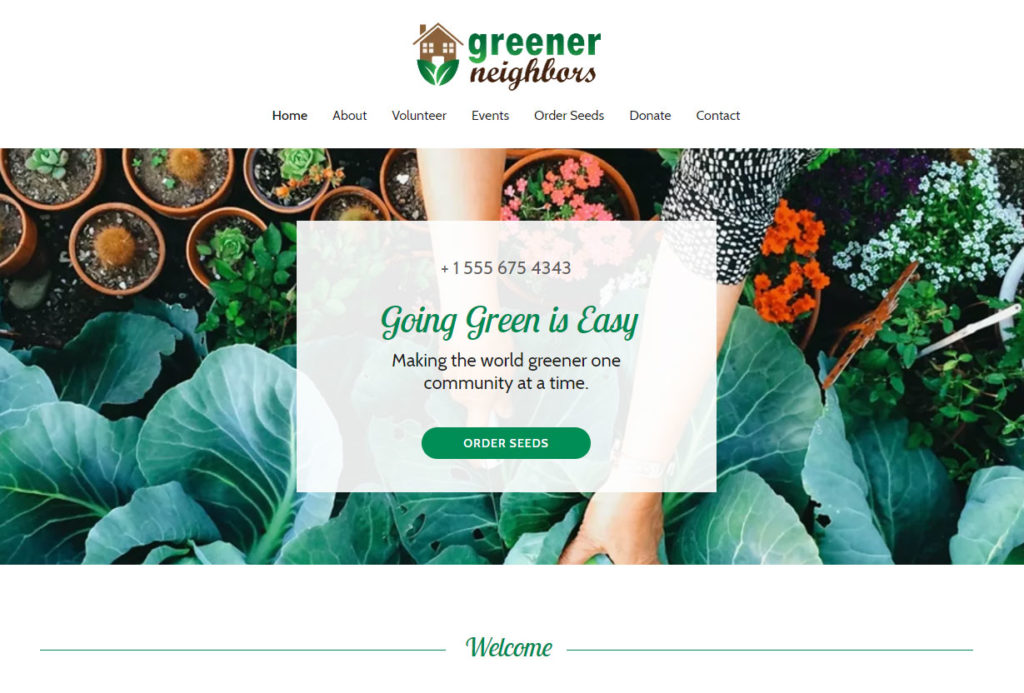
GoDaddy Website Builder User Reviews
Read MoreFAQ
Yes, that’s possible.
It’s possible to add Google AdSense, affiliate links or banner ads.
Yes – the option to create a free website was introduced with the latest release (previously, it was only possible to trial GoDaddy for a month).
GoDaddy Website Builder Alternatives



Are you looking for a GoDaddy alternative but you are unsure which one’s the best for you? Let our smart finder decide for you with 5 easy questions. Have you heard of Wix? We also have dedicated in-depth comparisons against Wix and against Squarespace.
The authors
Learn more about us

We keep our content up to date
07 Aug 2026 - Updated and added info about GoDaddy Airo Builder
20 Jul 2022 - Added more details around appointment booking, marketing tools and ecommerce
05 Apr 2022 - GoDaddy overall rating now 4.1
17 Dec 2021 - Mobile app rating added.
13 Oct 2021 - Updates to ecommerce section
30 Oct 2020 – New video review added
05 Oct 2020 – Review of new GoDaddy Websites + Marketing website builder
09 Oct 2019 – Update reflects the new GoDaddy branding
26 Aug 2019 – Digital products available in the online store
24 Apr 2019 – Minor updates and corrections
01 Apr 2019 – Updated blog section
23 Oct 2018 – Support test ratings added
03 Sep 2018 – A blog and membership tool are available
26 Jan 2018 – General Update (New features available)
24 Mar 2017 – Full review update: new GoCentral website builder
17 Jan 2017 – Added the restore & backup category to the review
10 Jun 2014 – Review update GoDaddy V7
18 Feb 2013 – Video review added
11-15 Feb 2013 – Initial tests
THE BEHIND THE SCENES OF THIS REVIEW
This article has been written and researched following a precise methodology.
Our methodology
Comments